
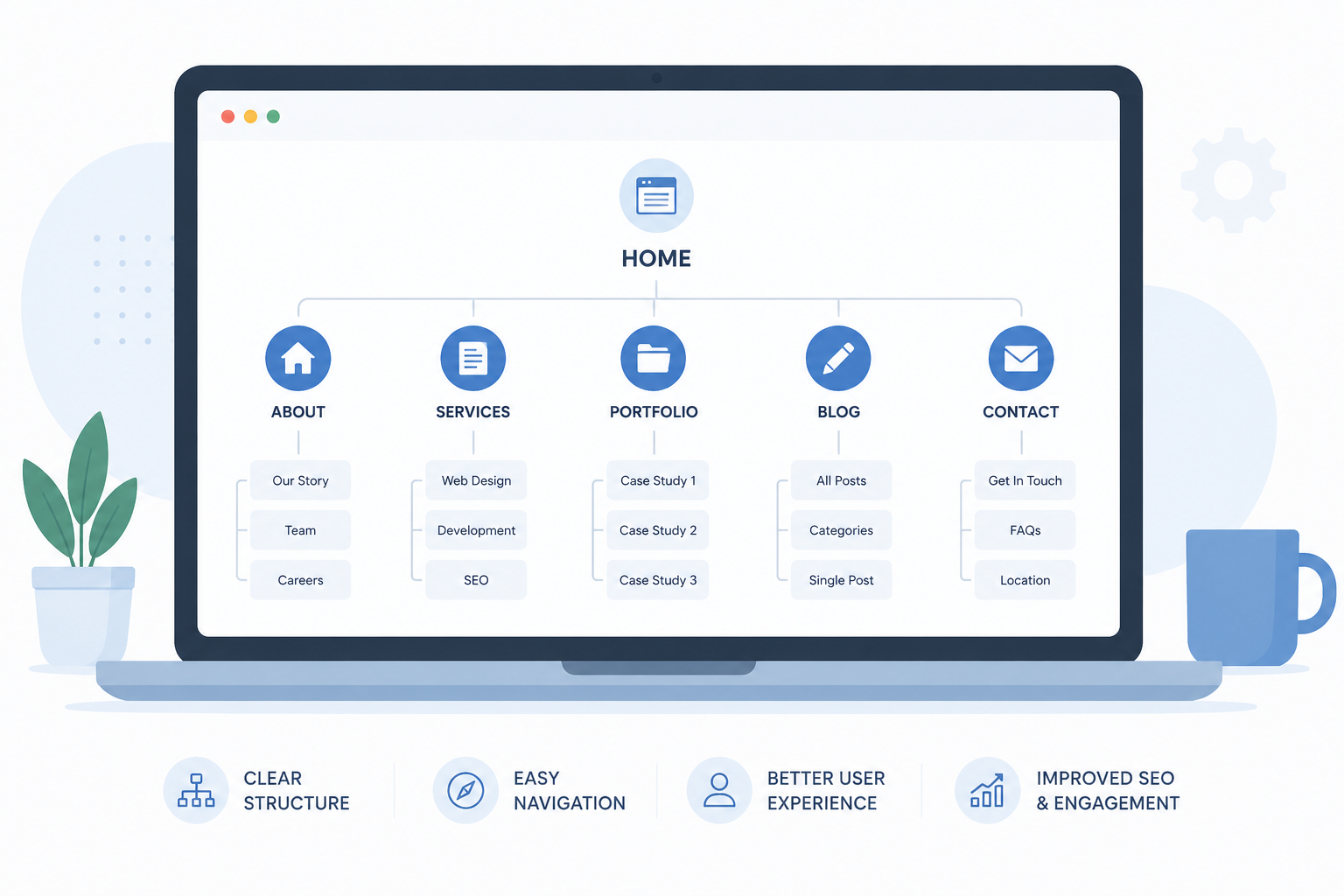
Poor website navigation is like a messy drawer. You know the thing you need is in there somewhere. You just don’t know how to find it. Your visitors will give up looking even faster than you will.
Well-organized content saves visitors from frustration. It also saves headaches during the build. Let me show you how to do it.
Start With a Site Map

Before you write a single word, plan your pages. Picture your site like a tree. You’ve got the main branches at the top. Those are your nav links. Beneath each one, you add smaller branches for sub-pages.
Keep your top navigation simple. Not every topic needs its own nav link. Group related pages into buckets and nest them under a category. A cluttered nav bar confuses people fast. Less is more up there.
Build your site map in a spreadsheet. Google Sheets works great for this. List each page and link your content docs right there. Both your developer and your client can see exactly how the site flows. It helps everyone spot gaps before writing even begins.
Rough Out the Layout First
Try to picture the layout without color or font distractions—first, picture where the text or content should go on the page. Like, think about furniture placement before wall color.
Consider what goes at the top? What’s the first thing the visitors see? What goes next? Make sure to answer these before you send them to the designer. You can easily do this in Google Docs or on paper. Draw some boxes and label them.
Write Content for Each Page
Now you write. Create one doc for each page and name it after the page it belongs to. Drop in the content for each doc:
- The page text
- Any photo notes
- Links to your image files
Even if you’re pulling content from an old site, review it fresh. Look for ways to clean it up. Share the docs with your client and ask them to leave comments right inside each one. This cuts so much back-and-forth. No more hunting through email threads.
Keep Your Photos in One Spot
Photos take forever to track down if you’re not organized. Add a tab to your spreadsheet just for images. List every photo source, folder, or gallery link there. That way, everything lives in one spot, and nobody has to go hunting.
Your developer will thank you. Seriously.
Sort Out Your SEO Keywords
When rebuilding a website, remember to pull the keyword data before you start writing. Understand what search queries lead users to your page and integrate those terms casually into your writing.
For a completely new website, you can create a keyword list using some SEO software. You can also use some AI software for that purpose. Just ensure the selected keywords are aligned with the actual queries from your audience.
Don’t Forget the Basics
Check your domain access before you hit launch. You’d be surprised how many projects stall because nobody can log in to the domain account. Confirm the details early. Don’t leave it for launch week.
Hand It All Off Clean
After drafting, revising, and finalizing, it’s time to organize everything for handoff. Make a developer’s job easier by providing one handoff package that includes:
- Page docs
- Links to images
- Notes/approvals
You’ve done them a big favor by providing a clean handoff. It can save weeks from your timeline. Avoid missing files at the last minute or ambiguous instructions. It may seem trivial, but organization is essential for a seamless project. It sets a good foundation for everything that follows.